Text rendering with OpenGL and F#
Unlike WebGL, rendering text in OpenGL is a bit more complicated. Here’s how I went about it with F#.
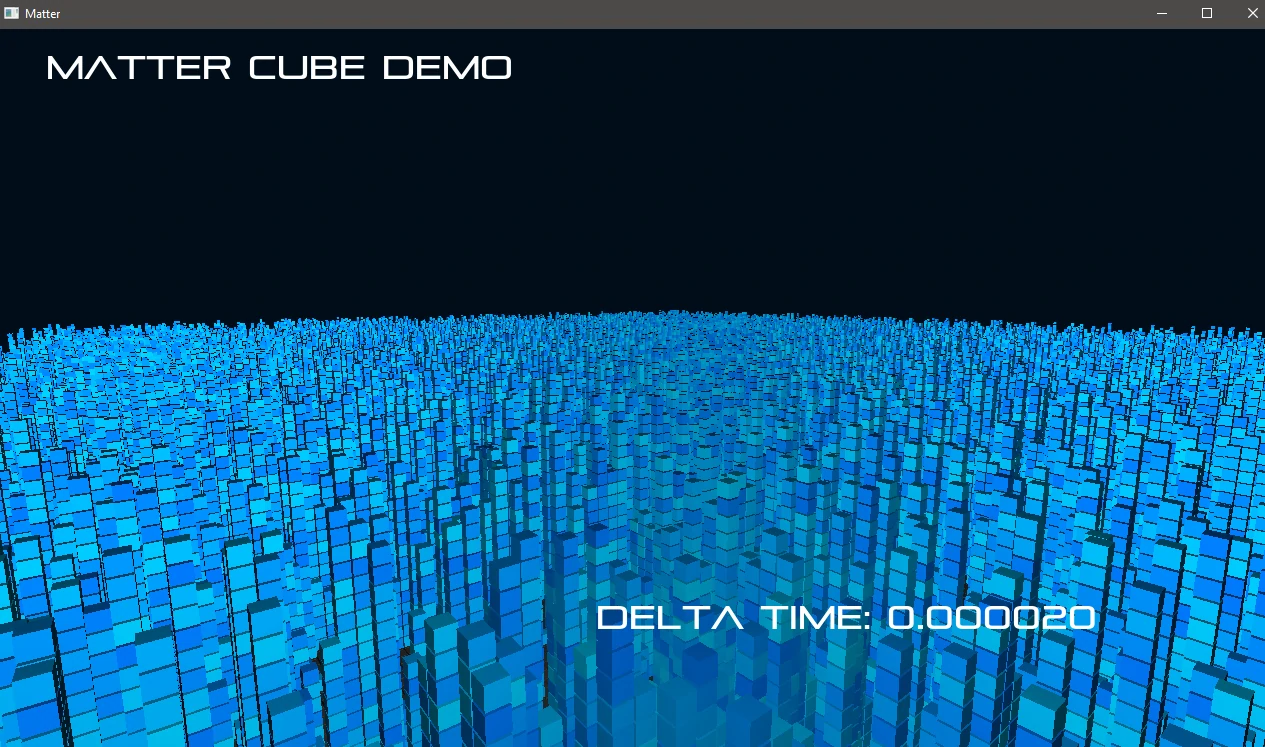
While it’s possible to load bitmap fonts fairly easily, TrueType fonts look nicer and give you a lot more flexibility in terms of sizes and styles.
LearnOpenGL.com has a very detailed article on text rendering. I recommend reading that article first and I’ll cover some of the F# specifics here.
FreeType is used to load TrueType fonts. FreeType is a C based library so first I had to understand how to load a DLL in F# and access it’s functions.
Marshalling calls to the FreeType C library
There are some libraries available to do this already but I couldn’t really find one that simply worked and I wanted to understand the process anyway.
First we’ll need the Interop library:
open System.Runtime.InteropServices
HANDLEs are used a lot for pointers in FreeType so I declared a type alias to match:
type HANDLE = nativeint
The function definitions are fairly straightforward. For example, initializing FreeType is done with the C function:
FT_EXPORT( FT_Error ) FT_Init_FreeType( FT_Library *alibrary )
The F# declaration for this would be:
[<DllImport("lib/freetype.dll", CallingConvention = CallingConvention.Cdecl)>]
extern int FT_Init_FreeType(HANDLE&)
Once you’ve declared one function with the full path to the DLL, subsequent
declarations will use this as well. FreeType is using standard C calling convention
so we also specify that in the declaration. Notice that the parameter is HANDLE&.
In FreeType, this is an output parameter and so we must pass in a pointer that
will be pointed at the HANDLE for the FreeType library. Finally FT_Error is
just an int.
Translating the structures/records used in FreeType was a bit laborious.
So much so that I skipped a bunch of the private ones in the Face structure.
As the structs in C are sequentially placed in memory this isn’t a big deal.
Once I got the hang of it though, churning these out wasn’t too bad.
[<Struct; StructLayout(LayoutKind.Sequential)>]
type GlyphSlot =
  val library: HANDLE
  val face: HANDLE // Pointer to Face
  val next: HANDLE // Pointer to GlyphSlot
  val glyph_index: uint32
  val generic: Generic
  val metrics: GlyphMetrics

  val linearHoriAdvance: int32
  val linearVertAdvance: int32
  val advance: Vector

  val format: uint32

  val bitmap: Bitmap
  val bitmap_left: int32
  val bitmap_top: int32
The structs are nested, some with pointers to other structs. The best way I
found of managing this was to define them as HANDLEs and then marshal the pointers
separately as was done with the top-level calls e.g. FT_New_Face.
let fontpath = __SOURCE_DIRECTORY__ + "/../lib/font.ttf"
let mutable facePtr = HANDLE 0
FT_New_Face(library, fontpath, 0, &facePtr)
let face = Marshal.PtrToStructure<Face>(facePtr)
To load the entire font (well characters 32–128) it’s necessary to allocate an array for each of the glyphs and copy in the data from the un-marshalled FreeType structure.
let bufferSize = int (bitmap.width * bitmap.rows)
let buffer = Array.zeroCreate<byte> bufferSize

Marshal.Copy(bitmap.buffer, buffer, 0, int bufferSize)
I defined my own Character record containing the bitmap data and metrics needed
to process the glyphs and returned these along with the atlas size, width and
height needed to contain them all, as this is needed to store them in a bitmap.
type Character = {
  offset: float32
  data: byte[]
  width: uint32
  height: uint32
  bearingX: int
  bearingY: int
  advance: int
}
I did this for all the different font sizes I wanted. Then passed it over to OpenGL side to render it to a texture.
Creating the OpenGL font texture atlas
On the OpenGL side I set some GL.TexParameter options as per the LearnOpenGL
tutorial before calling GL.TexImage2D to allocate the memory for the atlas/sprites.
gl.TexImage2D(
  GLEnum.Texture2D,
  0,
  int GLEnum.Red,
  uint32 atlasWidth,
  uint32 atlasHeight,
  0,
  GLEnum.Red,
  GLEnum.UnsignedByte,
  IntPtr.Zero.ToPointer()
)
This texture just uses a single colour channel to store the data as we only need the alpha channel (how visible the pixel is) and are free to set the color ourselves.
The last parameter of the call above is normally for the data. If the data is to
be filled in later, as in our case, you can pass in 0. Being an F# and .NET
novice I wasn’t sure how to pass 0 as an argument that required a void pointer.
This time Google wasn’t able to come to my aid but a quick post on Stack Overflow
gave me the answer I was looking for.
I was then able to iterate over the Character records I created earlier to
copy the data into the texture.
let dummyFunc =
  use dataPtr = fixed character.data
  let dataVoidPtr = dataPtr |> NativePtr.toVoidPtr

  gl.TexSubImage2D(
    GLEnum.Texture2D,
    0,
    x,
    0,
    character.width,
    character.height,
    GLEnum.Red,
    GLEnum.UnsignedByte,
    dataVoidPtr
  )
Rendering to OpenGL
The final step, as in the tutorial, is to draw some quads for each character in a string of text with the correct texture coordinates set to display the right glyph from the texture atlas.
My render function is passed a context containing the Character record along with all the GL info needed to create the text (ie. program, shader, VAO, VBO).
I had some fun with inverted texture coordinates but overall it was a fairly painless experience.
I’ll spare you the details as the rest is fairly similar to the original C tutorial.
